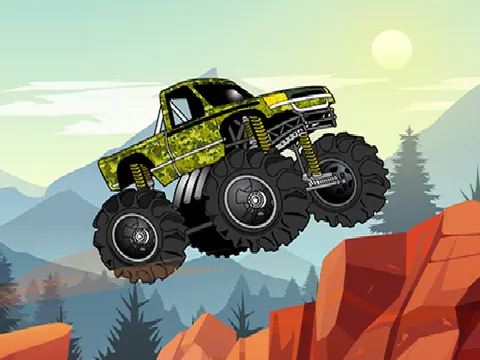
Monster Truck 2D unblocked is a physics driving game where big tires and bigger air are part of the fun. Guide your truck across each course, use the jump button to hop over trouble and scoop up coins as you go. Fire it up on Classroom 7x and see how cleanly you can reach the finish line.
About Monster Truck 2D
Monster Truck 2D keeps the controls simple so you can focus on handling. A and D, or the left and right arrow keys, control your truck, while W, the up arrow or Space makes it jump. That jump button is the standout feature here, letting you hop at just the right moment to clear a rise or set up a stunt. The side-on view shows the track ahead, so you can read the terrain and plan your next move before you reach it.
Physics plays a big role in every run. Your truck bounces, tilts and lands with a satisfying sense of weight, so too much speed at the wrong moment can leave you fighting for balance. Performing stunts is part of the experience, and coins are scattered along each track for you to collect on the way to the finish. Whether you prefer a careful, steady drive or a wild ride full of airtime, the goal stays the same: reach the end of the track in one piece.
How to Play Monster Truck 2D
- Use A and D or the left and right arrow keys to drive and control your monster truck.
- Press W, the up arrow or Space to make your truck jump.
- Time your jumps to clear bumps and set up stunts as you move along the track.
- Collect the coins scattered across each course as you drive.
- Keep your truck balanced and reach the end of the track to finish the level.
Monster Truck 2D Controls
| Input | Action |
|---|---|
| A / D or Left / Right arrows | Control the truck |
| W, Up arrow or Space | Jump |
Tips and Tricks
- Ease off before big bumps. Hitting rough terrain at full speed can send your truck flipping out of control.
- Use the jump to hop over awkward rises instead of plowing straight into them and losing your balance.
- Watch the track ahead for coin trails. Lining up early lets you collect them without sudden moves that throw off your balance.
- Try to land level. A flat landing keeps you moving smoothly, while landing nose-first can tip you over or kill your momentum.
Game Info
| Game | Monster Truck 2D |
|---|---|
| Genre | Racing |
| Players | Single player |
| Works on | Chromebook, PC and Mac (keyboard recommended) |
| Price | Free, no sign-up |
Monster Truck 2D FAQ
Can the monster truck jump?
Yes. Press W, the up arrow or Space to jump. It is useful for clearing bumps, getting extra air for stunts and dealing with rough sections of track that would otherwise slow you down.
What do you need to do to finish a track?
Drive your truck to the end of the course. Along the way you can perform stunts and collect coins scattered across the track. Keeping your truck balanced over the bumps is the main challenge on every run.
Is it better to drive fast or slow?
A mix of both works best. Speed helps you carry momentum over the terrain, but racing over bumps can flip your truck. Slow down for rough sections and speed up again once the track smooths out.
Can I play Monster Truck 2D on a school Chromebook?
Yes. Monster Truck 2D runs in the Chrome browser on Chromebooks, Windows PCs and Macs with nothing to install. It is designed for a keyboard and mouse, so it plays best on a computer rather than a phone.
Is Monster Truck 2D free to play?
Yes, Monster Truck 2D is completely free on Classroom 7x. There is no download, no account and no sign-up. Press Play and the game loads right on this page.