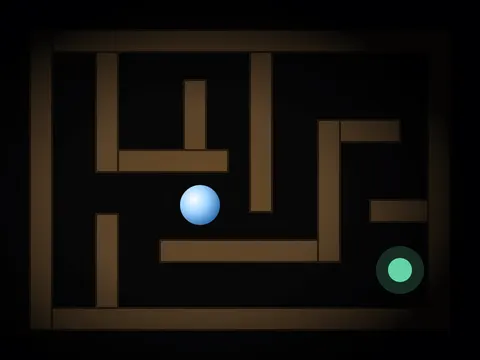
Astray unblocked is a moody little maze game where you roll a ball through a dark 3D labyrinth and hunt for the way out. A soft light travels with you, so you only see the corridors right around the ball. It loads directly from Classroom 7x, and every maze you solve leads to a larger one.
About Astray
Rye Terrell built Astray as an open-source project and released it into the public domain. The ball is driven by a real physics engine, which gives it genuine weight. Push it with the arrow keys or WASD and it gradually builds speed, then keeps rolling after you let go. Learning to start, steer and stop smoothly is half the challenge, and you will need that control long before you start worrying about the layout of the maze itself.
The other half is finding your way in the dark. A light follows the ball and illuminates the nearby walls, but the rest of the labyrinth stays hidden, so you have to remember turns and dead ends as you explore. Reaching the exit sends you to the next level, where the maze grows bigger and the route gets longer. The game is quiet, focused and satisfying, a welcome change of pace from loud arcade games.
How to Play Astray
- Use the arrow keys or WASD to roll the ball through the corridors of the maze.
- Ease off or press the opposite direction before corners, since the ball carries momentum and keeps rolling.
- Explore the dark passages using the light that follows your ball to spot walls and openings.
- Find the exit and roll the ball into it to complete the current level.
- Move on to the next stage, where the maze is larger and takes more planning to solve.
Astray Controls
| Input | Action |
|---|---|
| Arrow keys / WASD | Roll the ball |
| Opposite direction key | Slow down or stop |
Tips and Tricks
- Tap the keys in short bursts instead of holding them down. The ball keeps its momentum, so gentle pushes make tight corners much easier.
- Try following one wall and always turning the same way at junctions. This classic maze strategy helps you cover passages without getting lost in the dark.
- Make a mental note of dead ends as you pass them. With only a small circle of light, it is easy to wander back into a corridor you already explored.
- Slow down as you approach junctions so the light can reveal every opening, rather than rolling straight past a turn you needed to take.
- Stay patient on later levels. The mazes keep getting bigger, and bouncing off walls at full speed usually wastes more time than careful steering.
Game Info
| Game | Astray |
|---|---|
| Developer | Rye Terrell |
| Genre | Puzzle, Arcade |
| Players | Single player |
| Works on | Chromebook, PC and Mac (keyboard recommended) |
| Price | Free, no sign-up |
| Hosting | Open-source game served directly from Classroom 7x |
Astray FAQ
Who made Astray?
It was created by developer Rye Terrell, also known online as wwwtyro. He released the game as a public domain open-source project, which is why it can be hosted and played freely on sites like this one.
Why is the maze so dark?
The darkness is part of the challenge. Only a light that follows your ball shows the nearby walls, so you never see the whole layout at once. You have to explore, remember paths and work out the route as you go.
Do the levels get harder as you go?
Yes. Every time you reach the exit, the next maze is bigger than the last one, which means longer paths, more dead ends and more chances to get turned around in the dark.
Can I play Astray on a school Chromebook?
Yes. Astray runs in the Chrome browser on Chromebooks, Windows PCs and Macs with nothing to install. It is designed for a keyboard and mouse, so it plays best on a computer rather than a phone.
Is Astray free to play?
Yes, Astray is completely free on Classroom 7x. There is no download, no account and no sign-up. Press Play and the game loads right on this page.