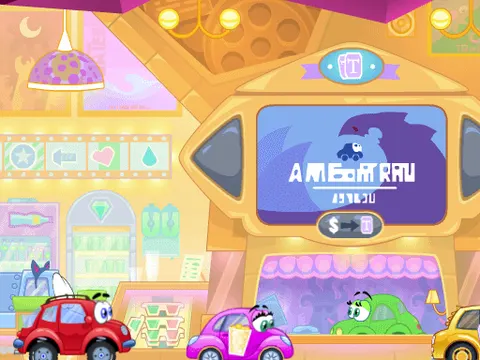
Wheely 6: Fairy Tale unblocked sets the brave little car on a heroic rescue mission to save his girlfriend. Every scene is a point-and-click puzzle, and the fun comes from figuring out which objects to use and when to send Wheely rolling. Pick it up on Classroom 7x and enjoy a charming story one level at a time.
About Wheely 6: Fairy Tale
Unlike a racing game, this entry in the Wheely series is all about thinking before you drive. Each level is a little puzzle scene filled with objects you can click, and your job is to find the sequence that clears a safe path. Some objects need to be moved or triggered first, while Wheely himself waits for your signal before heading off. Watching the cause-and-effect chain play out is a big part of the charm.
The story ties everything together. Wheely must be brave to rescue his girlfriend, and the fairy tale theme gives the adventure a storybook feel. Because the controls are just mouse clicks, the game is easy for anyone to pick up, and the challenge comes entirely from solving each scene. Wheely 6: Fairy Tale works well for players who prefer relaxed, clever puzzles over fast reflexes, and it rewards curiosity, since clicking around often reveals the answer.
How to Play Wheely 6: Fairy Tale
- Look over the whole scene before clicking so you can spot the objects that might help Wheely.
- Click on objects to move, activate or change them and clear a safe path.
- Click on Wheely to get him moving, or to stop him at just the right moment.
- Time your clicks carefully, since many puzzles depend on doing things in the right order.
- Guide Wheely to the end of each level to continue the story of his rescue mission.
Wheely 6: Fairy Tale Controls
| Input | Action |
|---|---|
| Mouse click on objects | Interact with the scene |
| Mouse click on Wheely | Start or stop Wheely |
Tips and Tricks
- Do not send Wheely off right away. Explore every clickable object first, since the solution usually depends on setting things up before he moves.
- If a plan fails, pay attention to where it went wrong. The spot where Wheely gets stuck usually points to the object you need to change.
- Think about order. Clicking the right objects in the wrong sequence can still end badly, so try a different order when you are stuck.
- Check the corners and edges of each scene, too, because useful objects are not always placed right along Wheely's path.
Game Info
| Game | Wheely 6: Fairy Tale |
|---|---|
| Developer | Pegas Games |
| Genre | Puzzle |
| Players | Single player |
| Works on | Chromebook, PC and Mac (keyboard recommended) |
| Price | Free, no sign-up |
Wheely 6: Fairy Tale FAQ
What is the story of Wheely 6: Fairy Tale?
Wheely, the little car hero of the series, needs to be brave and rescue his girlfriend. You help him through a fairy tale adventure by solving the puzzles in each scene, and the story continues as you clear more levels.
How do you control Wheely?
Everything is done with the mouse. Click on objects in the scene to interact with them, and click on Wheely himself to control when he moves. Figuring out the right timing and order is the main challenge.
Who makes the Wheely games?
The Wheely series is developed by Pegas Games. Each entry follows the same small car through a new themed adventure, and this one gives it a fairy tale twist with a rescue story at its heart.
Can I play Wheely 6: Fairy Tale on a school Chromebook?
Yes. Wheely 6: Fairy Tale runs in the Chrome browser on Chromebooks, Windows PCs and Macs with nothing to install. It is designed for a keyboard and mouse, so it plays best on a computer rather than a phone.
Is Wheely 6: Fairy Tale free to play?
Yes, Wheely 6: Fairy Tale is completely free on Classroom 7x. There is no download, no account and no sign-up. Press Play and the game loads right on this page.