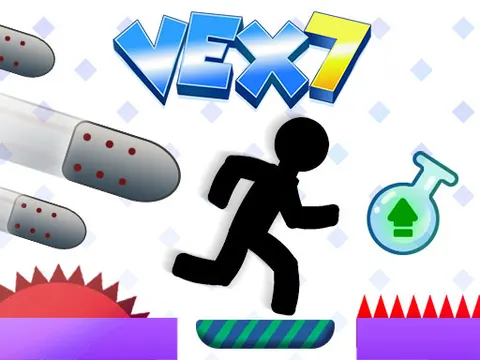
Vex 7 unblocked brings fresh traps and a handy new power-up to the famous stickman platformer. Leap across deadly gaps, slip past spikes and falling blocks, and avoid the security cameras that set off lasers. A short tutorial on the level map gets you up to speed, and you can dive in anytime on Classroom 7x.
About Vex 7
This entry leans hard into parkour. Your stickman sprints, jumps and slides across levels lined with hazards, from classic spikes to shooting knives and blocks that come crashing down. Each obstacle asks for a slightly different response, so you will constantly switch between careful timing and full-speed movement. As with the rest of the series, the game opens with a brief tutorial on the level map that walks you through the main elements and the stickman's signature moves.
Two additions make Vex 7 feel different from earlier games. The first is the double jump potion, which lets your stickman reach ledges and areas that would otherwise be out of range. The second is a set of security cameras that trigger laser beams, adding a stealthy element to some sections. Together they push you to think about routes as well as reflexes, rewarding players who study a level before charging ahead.
How to Play Vex 7
- Follow the short tutorial on the level map to learn the main hazards and your stickman's moves.
- Run with the Left and Right arrow keys or A and D, and jump with Up or W.
- Slide under low hazards with Down or S while running at speed.
- Grab a double jump potion to reach high ledges and places you could not get to before.
- Avoid spikes, shooting knives, falling blocks and the lasers set off by security cameras as you head for the finish.
Vex 7 Controls
| Input | Action |
|---|---|
| Left / Right arrows or A / D | Run |
| Up arrow / W | Jump |
| Down arrow / S | Slide |
Tips and Tricks
- Watch a security camera for a moment before passing it. Understanding how it behaves helps you avoid setting off its laser beams.
- After picking up a double jump potion, scan for higher ledges nearby, since the extra jump is your ticket to areas that were out of reach.
- Do not rush past shooting knives. Wait at a safe spot, watch their timing, and move through during the gap.
- Hesitating under a falling block is usually riskier than committing to a quick, decisive dash past it.
- When you get stuck, think back to the tutorial. Most tricky spots are solved with a basic move, such as a slide or a well-timed jump.
Game Info
| Game | Vex 7 |
|---|---|
| Genre | Platformer, Skill |
| Players | Single player |
| Works on | Chromebook, PC and Mac (keyboard recommended) |
| Price | Free, no sign-up |
Vex 7 FAQ
What does the double jump potion do in Vex 7?
Collecting the potion gives your stickman a double jump, letting you leap again in midair. It is the key to reaching platforms and areas you could not get to before, so keep an eye out for it in levels with high ledges.
How do you get past the security cameras?
Security cameras trigger laser beams, so the goal is to avoid setting them off. Study each camera before moving, pick a safe moment to pass, and keep moving once you commit so the lasers do not catch you.
Is there a tutorial for new players?
Yes. Like other Vex games, this one starts with a short tutorial on the level map. It explains the main game elements and shows off the stickman's signature moves, so newcomers can learn the basics before the tougher levels.
Can I play Vex 7 on a school Chromebook?
Yes. Vex 7 runs in the Chrome browser on Chromebooks, Windows PCs and Macs with nothing to install. It is designed for a keyboard and mouse, so it plays best on a computer rather than a phone.
Is Vex 7 free to play?
Yes, Vex 7 is completely free on Classroom 7x. There is no download, no account and no sign-up. Press Play and the game loads right on this page.