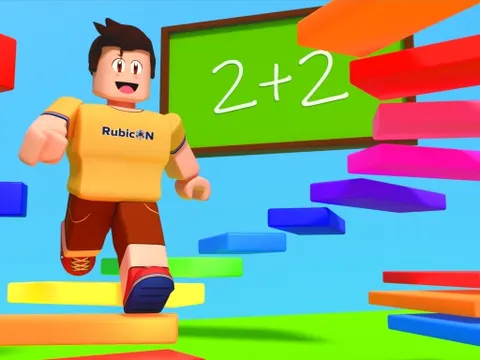
Obby Tower unblocked tests your jumping skills and your brain at the same time. You climb a towering obstacle course packed with tricky jumps and moving platforms, and every so often a math checkpoint blocks the path until you solve it. Start your climb on Classroom 7x and find out how high you can get.
About Obby Tower
If you have played obbies before, the setup will feel familiar. You start at the base of a tall tower and work your way up through a series of obstacles, jumping, dodging, and timing your moves on platforms that will not hold still. The higher you go, the more rewards and bragging rights you earn. The tension comes from the stakes: one wrong move sends you all the way back to the bottom, so every jump deserves your full attention.
The twist that makes Obby Tower different is the math. At certain checkpoints, you have to solve a problem before you can keep climbing. That means switching quickly from platforming focus to number crunching and back again. It is a fun way to practice mental math without it feeling like homework, and it gives the game an educational side that sets it apart from typical obstacle courses. Players who love obbies and enjoy a mental challenge will feel right at home.
How to Play Obby Tower
- Begin at the base of the tower and look up to spot the first set of platforms and obstacles.
- Move and jump across gaps and moving platforms, timing each leap so you land safely.
- Stop at math checkpoints and solve the problem shown to unlock the way forward.
- Take careful, deliberate jumps, since one wrong move drops you all the way back to the bottom.
- Keep climbing as high as possible to earn rewards and set a new personal best.
Obby Tower Controls
| Input | Action |
|---|---|
| Arrow keys / WASD | Move your character |
| Space | Jump |
Tips and Tricks
- Watch a moving platform complete one full cycle before you jump onto it, so you know exactly where it will be when you land.
- Read each math problem carefully before you answer. A few extra seconds of checking is much better than slipping up on an easy question.
- Do not chain jumps nonstop. Pause on safe ground to plan the next section, since a single mistake sends you back to the base.
- Brush up on quick mental math before a long climb, so checkpoints feel like a short break instead of a roadblock.
Game Info
| Game | Obby Tower |
|---|---|
| Genre | Platformer, Puzzle |
| Players | Single player |
| Works on | Chromebook, PC and Mac (keyboard recommended) |
| Price | Free, no sign-up |
Obby Tower FAQ
What happens if you fall in Obby Tower?
A wrong move sends you back to the bottom of the tower, so you have to climb up again. That is why careful timing on moving platforms matters more than rushing.
Why are there math problems in an obby?
The math checkpoints are the game's signature twist. You must solve a problem to get past each one, so you need both parkour skills and quick thinking to reach the top.
What do you earn for climbing higher?
Climbing higher earns you rewards and bragging rights. The goal is to get as far up the tower as you can, so each attempt is a chance to beat your best climb.
Can I play Obby Tower on a school Chromebook?
Yes. Obby Tower runs in the Chrome browser on Chromebooks, Windows PCs and Macs with nothing to install. It is designed for a keyboard and mouse, so it plays best on a computer rather than a phone.
Is Obby Tower free to play?
Yes, Obby Tower is completely free on Classroom 7x. There is no download, no account and no sign-up. Press Play and the game loads right on this page.