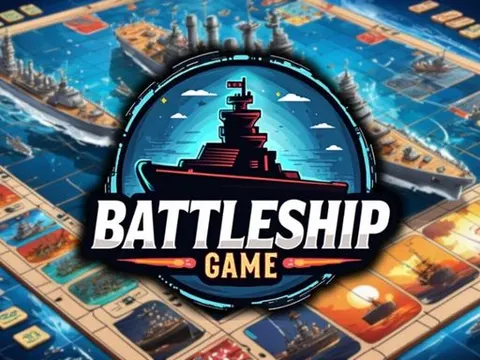
Battleship unblocked puts you in command of a fleet hidden on a secret grid. Take turns with the enemy calling out coordinates, track your hits and misses, and use logic to hunt down every ship before your own fleet is sunk. This timeless strategy game is ready to play on Classroom 7x.
About Battleship
This digital take on the famous naval game follows the rules many people learned at the kitchen table. Before the battle starts, you position your fleet on your own grid. Ships can sit horizontally or vertically, but never diagonally, and your opponent cannot see where you put them. Once both fleets are hidden, the shooting begins, and the match becomes a tense guessing game where every shot reveals a little more about what is lurking beneath the waves.
Each turn, you pick a coordinate such as B5 and fire. A hit means part of an enemy ship sits on that square, while a miss means the water there is empty. Your tracking grid records every result, which helps you narrow down where the remaining ships could be. The first side to sink the entire opposing fleet wins. It is a great mix of strategy, memory and a little luck, and no two games play out the same way.
How to Play Battleship
- Place each ship of your fleet on your grid, lining them up horizontally or vertically.
- Take turns with the enemy, choosing a grid coordinate on their board to fire at.
- Check whether your shot was a hit or a miss on your tracking grid.
- After a hit, fire at the neighboring squares to uncover the rest of that ship.
- Keep going until you sink every enemy ship and win the battle.
Battleship Controls
| Input | Action |
|---|---|
| Mouse click / drag | Position your ships on your grid |
| Mouse click | Fire at a square on the enemy grid |
Tips and Tricks
- Start with a checkerboard search pattern. Because ships stretch across multiple squares in a line, firing at every other square still finds them efficiently.
- Once you score a hit, test the squares above, below and beside it to find which direction the ship runs.
- Avoid clustering your own ships together. Spreading them out means one lucky hit does not lead the enemy straight to the rest of your fleet.
- Use your tracking grid to rule out gaps that are too small to hold any of the ships still afloat.
Game Info
| Game | Battleship |
|---|---|
| Genre | Card & Board |
| Players | Single player |
| Works on | Chromebook, PC and Mac (keyboard recommended) |
| Price | Free, no sign-up |
Battleship FAQ
Can ships be placed diagonally in Battleship?
No. Ships can only be placed horizontally or vertically on your grid. Diagonal placements are not allowed, which also makes it easier to work out a ship's direction once you land a hit on it.
What is the tracking grid for?
The tracking grid is where your shots are recorded. It marks each hit and miss so you can see which coordinates you have already tried and figure out where the remaining enemy ships are likely to be.
What is the best strategy in Battleship?
Start by spreading your shots across the board in a checkerboard pattern rather than firing randomly. When you get a hit, switch to targeting the nearby squares until that ship is sunk, then return to searching.
Can I play Battleship on a school Chromebook?
Yes. Battleship runs in the Chrome browser on Chromebooks, Windows PCs and Macs with nothing to install. It is designed for a keyboard and mouse, so it plays best on a computer rather than a phone.
Is Battleship free to play?
Yes, Battleship is completely free on Classroom 7x. There is no download, no account and no sign-up. Press Play and the game loads right on this page.