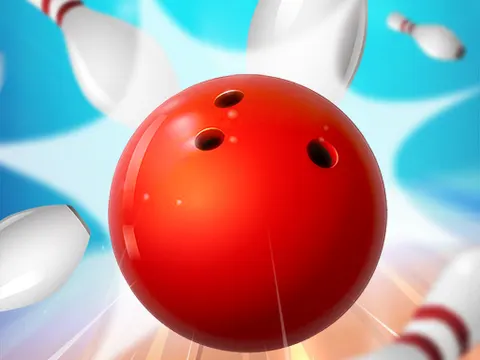
Bowling Stars unblocked brings the lanes to your browser with head-to-head matches and a satisfying swipe-to-throw system. Draw your shot, add some curve and watch the pins scatter. Challenge opponents on Classroom 7x, collect trophies and work your way up to better balls and tougher rivals.
About Bowling Stars
Bowling Stars follows the classic rules of bowling, so frames, strikes and spares work just as you would expect at a real alley. The twist is in how you throw. Instead of pressing a button at the right moment, you swipe across the screen, and the line you draw sets both the trajectory of the ball and how much it curves. That gives you real control over each roll, whether you want to send it straight at the pins or bend it in from an angle.
Matches pit you against opponents, and winning earns trophies. Those trophies unlock better bowling balls, which help you compete with more skilled bowlers as you climb. That progression gives every game a purpose beyond the score sheet. The controls take only a moment to learn, yet controlling curve precisely takes practice, so there is plenty of room to improve. It is a relaxed sports game that still feels intense whenever you are trailing by a few pins in the final frame.
How to Play Bowling Stars
- Swipe across the screen, or click and drag with a mouse, to set the direction of your throw.
- Bend your swipe to put curve on the ball and hook it into the pins.
- Follow standard bowling rules, aiming for strikes and spares to build a high score.
- Outscore your opponent across the match to win and earn trophies.
- Use your trophies to unlock better bowling balls and take on stronger rivals.
Bowling Stars Controls
| Input | Action |
|---|---|
| Click and drag | Aim and curve your throw |
| Swipe | Throw on touchscreens |
Tips and Tricks
- Aim for the pocket just to one side of the head pin rather than hitting it straight on. Angled hits scatter pins far more effectively for strikes.
- Start with gentle curves. A little hook is much easier to control than a big sweeping swipe that may drift toward the gutter.
- When pins are left standing, focus on picking up the spare. Steady spares win plenty of close duels even without many strikes.
- Keep collecting trophies, since better balls make a real difference against the more skilled opponents you face later on.
- Repeat a swipe that works. Consistent motions lead to consistent results, so once you find a reliable strike shot, try to copy it.
Game Info
| Game | Bowling Stars |
|---|---|
| Genre | Sports |
| Players | Single player |
| Works on | Chromebook, PC and Mac (keyboard recommended) |
| Price | Free, no sign-up |
Bowling Stars FAQ
How do you curve the ball?
Curve comes from your swipe. The path you draw across the screen sets the ball's trajectory and how much it bends, so a curved motion adds hook to your throw. Small changes to your swipe make a big difference.
How do you unlock new bowling balls?
Defeat opponents to earn trophies, and those trophies unlock better bowling balls. Upgraded balls help you keep up as your rivals become more skilled, so steady wins lead to steady improvements.
Does it use real bowling rules?
Yes. Classic bowling rules apply, so you score with strikes, spares and pinfall across a series of frames. If you know how scoring works at a real bowling alley, you already understand the game.
Can I play Bowling Stars on a school Chromebook?
Yes. Bowling Stars runs in the Chrome browser on Chromebooks, Windows PCs and Macs with nothing to install. It is designed for a keyboard and mouse, so it plays best on a computer rather than a phone.
Is Bowling Stars free to play?
Yes, Bowling Stars is completely free on Classroom 7x. There is no download, no account and no sign-up. Press Play and the game loads right on this page.