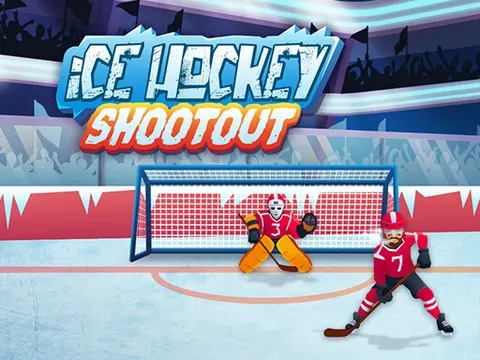
The stadium is packed and the spotlight is on you in Ice Hockey Shootout unblocked. Flick the puck toward the net, slip it past goalies and big defenders, and keep the goals coming. It is quick, simple, and surprisingly hard to put down, which makes it a great quick-break game on Classroom 7x.
About Ice Hockey Shootout
The setting is pure big-game energy: a ready rink, a packed stadium, and chanting fans waiting for your next shot. Instead of skating around, you focus entirely on shooting. Swipe the puck toward the goal and aim for an opening, but watch out, because goalies and bulky defenders stand in the way. Finding the gap between them and timing your shot well is the key to lighting the lamp again and again.
Ice Hockey Shootout keeps you on your toes because the goalie is not always equally sharp. Its intelligence varies, so some goalies are easy to beat while others react much faster, and you have to adjust your aim each time. The fast-paced action makes every shot count. There is also a goofy collection side to the game: you can unlock different pucks, including sardine cans and cheese pucks, which add a dose of humor to each attempt.
How to Play Ice Hockey Shootout
- Swipe the puck toward the goal, using a mouse drag on a computer or your finger on a touch screen.
- Look for open space between the goalie and the defenders before you shoot.
- Change your angle to go around bulky defenders when they block the straight path.
- Keep scoring as many goals as you can, adapting as the goalie's skill level changes.
- Unlock new pucks, like sardine cans and cheese pucks, to change up the look of your shots.
Ice Hockey Shootout Controls
| Input | Action |
|---|---|
| Click and drag (mouse) | Swipe the puck toward the goal |
| Swipe (touch screens) | Shoot on phones and tablets |
Tips and Tricks
- Aim for the corners of the net. Shots toward the edges are harder for goalies to reach than ones straight down the middle.
- Watch where the defenders are standing before you swipe, and shoot through the widest gap rather than the most direct line.
- Pay attention to how the current goalie reacts. Some are sharper than others, so test a shot or two to learn its habits.
- Keep your swipes smooth and decisive. A clean, confident motion is easier to aim than a short, jittery one.
Game Info
| Game | Ice Hockey Shootout |
|---|---|
| Genre | Sports |
| Players | Single player |
| Works on | Chromebook, PC and Mac (keyboard recommended) |
| Price | Free, no sign-up |
Ice Hockey Shootout FAQ
Can you unlock new pucks in Ice Hockey Shootout?
Yes. Along with regular pucks, you can unlock goofy options such as sardine cans and cheese pucks. They add a funny twist to your shots while you keep trying to beat the goalie.
Why do some goalies seem harder to beat?
The goalie's intelligence varies, so some react slowly while others are much quicker to block your shots. Watching how each one moves helps you pick the best angle and timing.
How do you shoot the puck?
Swipe toward the goal to send the puck flying. On a computer, use a click-and-drag motion with your mouse, and on a touch screen, swipe with your finger. The direction of your swipe sets where it goes.
Can I play Ice Hockey Shootout on a school Chromebook?
Yes. Ice Hockey Shootout runs in the Chrome browser on Chromebooks, Windows PCs and Macs with nothing to install. It is designed for a keyboard and mouse, so it plays best on a computer rather than a phone.
Is Ice Hockey Shootout free to play?
Yes, Ice Hockey Shootout is completely free on Classroom 7x. There is no download, no account and no sign-up. Press Play and the game loads right on this page.