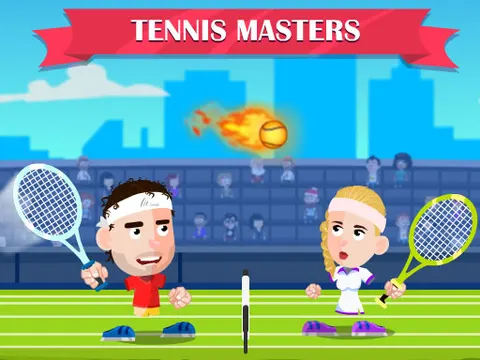
Tennis Masters unblocked turns a day on the court into a quick, goofy arcade match. Return shots, unleash smashes and grab power-ups that can trigger funny transformations during play. Challenge the computer when you want to practice, or hand a friend the other side of the keyboard for a head-to-head showdown on Classroom 7x.
About Tennis Masters
This tennis game keeps the rules familiar and the controls simple. Each player moves around their half of the court and has just two shots to work with: a regular hit and a more aggressive smash. That small toolkit makes the game easy to pick up, but winning points still depends on positioning and timing. Reach the ball early and you have time to set up a strong return, while arriving late usually leaves you scrambling to keep the rally going.
Power-ups add a layer of chaos you will not find in real tennis. Collect them and watch for funny transformations that can shake up a match in an instant. You can take on the computer for solo practice, or switch to two-player mode and challenge a friend on the same keyboard. Local matches get competitive quickly, especially when one well-timed power-up turns a losing match around. The quirky twists keep even lopsided games entertaining right to the final point.
How to Play Tennis Masters
- Choose a match against the computer or pick two-player mode to face a friend.
- Move around your side of the court with the arrow keys as Player 1 or WASD as Player 2.
- Get close to the ball and press your hit key to send it back over the net.
- Use the smash key when you want a more powerful shot to put pressure on your opponent.
- Grab power-ups when you can and keep winning points until you take the match.
Tennis Masters Controls
| Input | Action |
|---|---|
| Arrow keys | Player 1 move |
| X / Z | Player 1 hit / smash |
| WASD | Player 2 move |
| L / K | Player 2 hit / smash |
Tips and Tricks
- Return to the middle of your court after each shot. Central positioning leaves you less ground to cover when the next ball comes back.
- Save smashes for balls you reach in good position. A rushed smash from a bad spot is easier for your opponent to handle.
- Mix regular hits and smashes so your opponent cannot settle into a rhythm and predict every return.
- Keep your eyes on the ball even when a power-up appears. Losing track of the rally to chase a bonus can hand your opponent an easy point.
- When playing a friend, remember that Player 1 is on the arrow keys here, which is the reverse of many two-player games.
Game Info
| Game | Tennis Masters |
|---|---|
| Genre | Sports, 2 Player |
| Players | 1 or 2 players |
| Works on | Chromebook, PC and Mac (keyboard recommended) |
| Price | Free, no sign-up |
Tennis Masters FAQ
Can you play Tennis Masters with a friend?
Yes. Two-player mode puts both of you on the same keyboard. Player 1 moves with the arrow keys and uses X to hit and Z to smash, while Player 2 moves with WASD and uses L to hit and K to smash.
What is the difference between hit and smash?
Hit is your standard shot for keeping a rally going, while smash is the more aggressive option for attacking. Mixing the two keeps your opponent guessing about what is coming next.
Can you play Tennis Masters alone?
Yes. You can take on the computer whenever you want to play solo, which is a good way to practice your timing and get comfortable with the controls before challenging a friend.
Can I play Tennis Masters on a school Chromebook?
Yes. Tennis Masters runs in the Chrome browser on Chromebooks, Windows PCs and Macs with nothing to install. It is designed for a keyboard and mouse, so it plays best on a computer rather than a phone.
Is Tennis Masters free to play?
Yes, Tennis Masters is completely free on Classroom 7x. There is no download, no account and no sign-up. Press Play and the game loads right on this page.